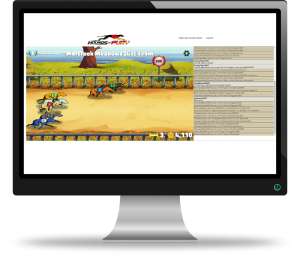
In-game chat
Chat lets you talk to other players in real time while racing, breeding, crafting, and managing your hounds. You can use chat to ask questions, share achievements, brag about wins, and stay connected with the community.
How to open chat
-
Mobile: Tap the speech bubble icon in the bottom‑left corner of the screen.
-
PC: Chat appears on the right side of the screen or below the game window, depending on your layout.
Chat updates instantly on all devices.
What appears in chat
The chat feed shows real‑time messages from players as well as automatic system updates. These include:
-
Crafting special or rare items
-
Winning PVP races
-
Breeding with another player’s hound
-
Major achievements or rare events
These updates help players see what’s happening across the game and celebrate big moments together.
Sending messages
Type your message into the chat box and press send. Messages appear instantly for all players in the same chat channel.
You can use chat to:
-
Ask for help or tips
-
Coordinate breeding
-
Talk strategy
-
Celebrate wins
-
Socialise with other players
Bragging rights
Double‑tap your winning bet slips to instantly share them in chat. Other players will see your win and can react in real time.
Chat etiquette
To keep chat friendly and fun:
-
Be respectful
-
Avoid spam
-
Keep language appropriate
-
Don’t share personal information
Moderators may remove messages that break the rules.
Game Help
- Betting
- Breeding and studding
- Chat guide | Real‑time player messaging
- Crafting & equipment
- Digging up The Backyard
- General Store
- Golden Bones
- Good Doggo Points
- Hound stats explained | Racing impact
- How to Play
- Owning a hound guide | Care and management
- Player rankings guide | Rank thresholds
- PVP Racing
- Racing Guide | Tracks, Races, Grades
- Research Lab
- Sweepstake Races
- Technical issues
- Web Version Troubleshooting
- Wheel of Fury
- Privacy Policy